NOTES.
-
I keep forgetting that manual transmission cars exist and then I get upset when I have to drive them
-
I should stop complaining about GitHub but code-highlighting just sometimes works now?
-
someone is just gonna make a awesome code reviewing product and it's gonna completely replace github, huh?
-
Dehydration is a scam made up by big gatorade
-
I hate starting to create slides for a project or presentation. In most situations, I’ve forgotten context or other things which makes it time consuming to finish. I try to avoid the last-minute rush by starting my slides early. Instead of waiting until I have everything perfectly planned out, I open Google Slides right away and create a new deck. Then, I just start tossing in context, data and bits and bobs as soon as I experience or find it. As I go, I loosely group related content together, moving slides around as the structure starts to take shape. It doesn’t have to make sense at first.
As the days pass, I gradually refine the content. By the time the presentation is close, I’m not scrambling to put everything together—I’m just making small improvements and fine-tuning the details.
This way of working feels much easier than the stress of procrastinating and then rushing to throw everything together at the last minute. Instead of feeling overwhelmed, I can gradually shape the slides over time, making the process far more manageable. Plus, by the time I present, I already feel comfortable with the material since I’ve been engaging with it over time, rather than rushing through it at the last minute. If you tend to procrastinate on slides and then stress about them at the last minute, give this approach a try. I find it makes the whole process a lot more manageable.
-
Since bookmarks can be JavaScript we can dynamically create a URL based on some data. In this case the data is the current date. We'll use that to create a GitHub search filter for pull requests created in the last 7 days.
const today = new Date(); const lastWeek = new Date(new Date().setDate(new Date().getDate() - 7));const created = [ [lastWeek.getFullYear(), lastWeek.getUTCMonth() + 1, lastWeek.getDate()].join("-"), [today.getFullYear(), today.getUTCMonth() + 1, today.getDate()].join("-"), ].join("..");
const url = new URL("https://github.com/pulls"); const params = new URLSearchParams();
params.set( "q", 'is:pr author:@me is:closed created:' + created );
url.search = params.toString();
window.location.href = url.toString();
Then we just need to compress the JavaScript, URL encode it, stick the
javascript:protocol in front of the script and stick it in a URL. You can drag that into your bookmarks bar and now you have a easy shortcut to the work you did last week, ready for your next Monday standup!Note that you'll need to update user name (author:koddsson) in the original script and then recreate the bookmarklet again to get your pull requests. I used https://caiorss.github.io/bookmarklet-maker/ to create my bookmarklet.Edits:
2024/10/21: @carlocab_ pointed out that I can use
author:@meinstead of hard-coding a username in the script. -
I'm excited about working on some Web Performance "lab monitoring" at work but the initial runs are not great. Hoping that there are easy fixes that get us to be a lot more performant.
-
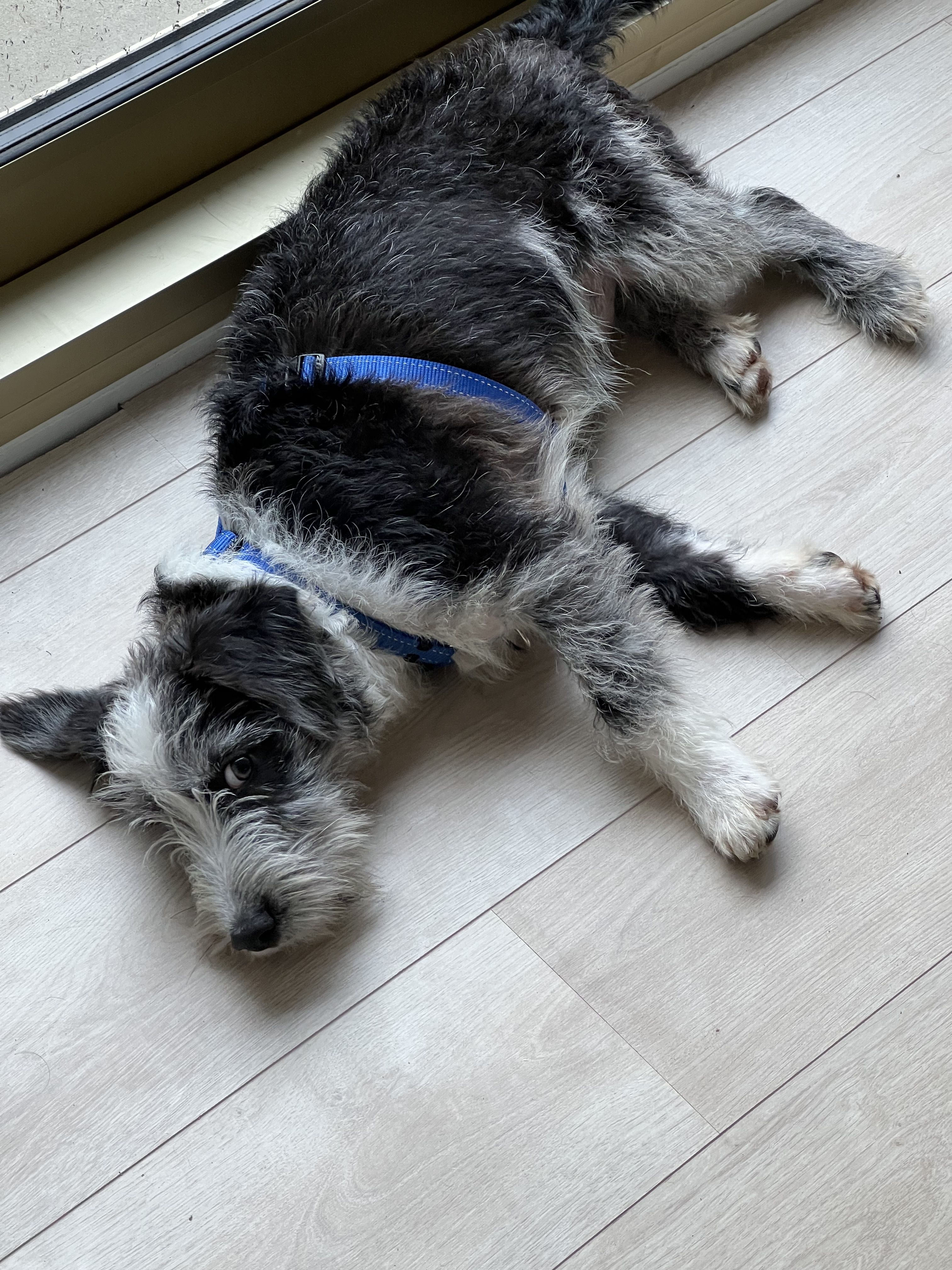
I got a dog about a week ago. His name is Tofu.
-
I tooted a little git command joke on Fosstodon the other day.
I imagine that git terminal users like me often mis-type the commands and I'm a fan of injecting humor into my daily life. The way I created the above screenshot is by creating a git alias. Normally you git alias different git commands but you can actually execute any command as a git alias by prepending the command with a exclamation.
$ git config --get alias.ranch
!imgcat ~/Downloads/cowbow-kitten.png
Someone actually replied to my toot that I should alias common misspellings of commands as their right commands but I've already got
help.autocorrectset on my git config.I'm not sure why it's not mentioned in the docs but I've got mine set to
-1so that the autocorrect is executed immediately. -
I recently came across this video from The Browser Company that caught my attention. While the content of the video wasn't particularly interesting to me, the way it was made was.
If you are running macOS (or possibly on a different OS), you already have the tools you need to create a presentation. There's a built-in app called "Screenshot" that you can use for screen recording, and you can also use a web cam preview to show your face, just like the person in the video.
In the past, I've used a similar approach with a Codepen by feeding a webcam video stream directly to a
<video>tag and then opening the video in picture-in-picture mode to display it borderless while screen recording. It works really well and allows you to easily open files and websites in your presentation, providing additional context for the topics you're discussing. You probably don't need to get any special tools for this, as it's easy to do with the tools that are already available. -
My new personal website is written in Jekyll! I think it's much simpler than the one I had before where I wrote everything from scratch!
It draws heavily from Mu-Ans site. I really like Mu-Ans eye for design and web development.
